
Choose your day
Open the calendar and explore the events that share a month and day. Category counts help you find a starting point.
 Lodge Corporation

Today is the day · Website support
Find your way through history, make the website your own, and keep the dates that matter safe.
Website version 1.11.0 · Build 92 · English interface
01 · Make yourself at home
Open the calendar and explore the events that share a month and day. Category counts help you find a starting point.
Filter by region, try a different Wikipedia edition, or open Map, Time Machine and a person’s timeline.
Save filters as presets, add personal dates and export your browser’s library as a backup.
Looking for the native app instead? Get support for the iPhone & iPad app.
02 · Common questions
Open the calendar next to the selected date and choose a month and day. Expand a category to see its matching events and use its page controls when there are many entries. Category counts reflect your current filters. Historical event trackers compare the event with the current date and time, even when you browse another year. Years, months, weeks and days are separate whole-unit totals, not leftover parts of one duration.
Open Filters to choose a Wikipedia edition, countries or continents, year range, search and sorting. Wikipedia.com (English) is the default and uses the same English source data as en.wikipedia.org. Other editions use their own calendar data when available; the website does not substitute English events for a missing local calendar.
Choose Save preset to keep a named combination, then use Presets to apply it quickly or change the preset order. Shared filters apply to every category and exploration view. Country flags indicate sourced associations, such as a named place or a main person’s citizenship. They do not claim an exact event location or recreate historical borders. Narrow combinations can have few results; try clearing one filter or using Everything.
Use category settings to choose and reorder Everything, Highlights, Events, Born, Passed, Sports, Military, Political, Science, Entertainment, Disasters, Other and Holidays. Everything combines the source records without duplicates. Other contains events outside the topic categories, excluding Born, Passed and Holidays.
Choose Edit categories on an event to save a local topic correction, or restore its automatic matching. This changes your browser’s view, not the original Wikipedia article. If a flag or topic seems wrong, include the selected day, edition and source link in a support report.
List, Map and Time Machine share the selected date, category, search and filters. The map starts at a world overview and leaves zooming and panning to you while data loads. Use its explicit fit control when you want to frame the available places. Move map lets you drag the map; switch it off to scroll the page easily.
Places uses dated source locations, or the principal person’s matching birthplace or place of death for Born and Passed. Related countries is a separate view of contextual country associations. Events lacking reliable locations remain in the list and under Without a location. Modern country outlines are an orientation aid.
Time Machine groups the selected day’s events by decade or century. Select an era or move the travel slider to explore its events. Counts describe the currently loaded, filtered source records, rather than the frequency of all historical activity.
Choose a City, Country, Organization, Ship, Spacecraft, Space mission, War & conflict, Building & landmark, Sports team, Sports competition, Technology & invention, Film, Book, Music, Disaster & incident, Family or Dynasty timeline button on an event when a directly linked subject can be verified. The popup combines that subject’s dated Wikidata facts and date mentions from its matching Wikipedia article, across calendar dates. Search the entries, change their order and use the horizontal overview to see the dates currently shown in the list.
Non-person timeline headers do not show birth, death or age labels. Family and dynasty histories can include relevant member life dates from their own article. Article dates keep their original context and may concern related people or events. They are an overview of available source dates, not an exhaustive or independently verified chronology. Sources load when a timeline is opened; the selected Wikipedia edition is used when linked, with a matching English article as a fallback.
Choose Person timeline under a person to open their dated history across calendar dates. The website combines that person’s biography, structured Wikidata facts and directly related dated events or works. Similar descriptions of the same event are combined where possible, while separate events sharing a date remain distinct.
The horizontal overview includes every loaded entry. Aligned gold marks show when entries cluster; a separate faint band shows date ranges. Search by year or words and change the list order. By default, use Previous or Next to browse pages of up to 100 entries. To see every matching entry in one scrollable list, open Aa / Reading preferences, enable Show all timeline entries and choose Save preferences. This setting applies to person and subject timelines. Search and ordering do not change the overview. Follow each source for context. Approximate dates retain their precision, and the timeline is not a complete or independently verified biography.
Choose Aa / Reading near Information. Pick System, Light or Dark appearance, text size and Detailed or Compact cards. Compact cards keep the main event and tracker visible; Details & sources reveals more context.
Show historical images is on by default unless you previously switched it off. Photographs load as cards approach the screen. When no suitable photograph is available, a verified person may show a labelled historical portrait, such as a painting or drawing. A verified person may also show a labelled Historical coin image; coin artwork can show a stylised likeness. A licensed image linked directly to a verified person may be labelled Related image when the source does not identify its medium. Select an image for its credit, licence and Commons source. Images can show the related subject at another date; some events have no suitable reusable image. Turn the option off in Reading at any time.
Event links to Wikipedia and Wikidata open in a popup on the website. Close it with its Close button or Escape to return to your place. When a provider cannot be displayed in the popup, use the offered source link to open the original page. Other external links may open the linked site normally. Source content is maintained by its contributors.
Open My dates → Add a date. Enter the day, choose the month and type a year directly, such as 1973. You can add an optional exact time and note. Personal dates compare with the selected reference date and time, unlike historical events, which use the current timestamp. Your personal dates stay in this browser until you export or delete them.
Open Information (i) → Export my saved data to download a JSON backup of your personal dates, presets, category settings and local event-category corrections. Keep the file somewhere safe; it can contain your personal date titles and notes.
To move this library to another browser or device, open the website there and choose Information → Import a backup. Select a backup smaller than 5 MB, check the confirmation and import it. Import replaces the receiving browser’s saved library. Export that browser’s existing library first if you want to keep it. Reading preferences are stored separately and are not included in this backup.
There is no automatic sync with another browser, device or the native iPhone/iPad app. Private browsing, clearing site data or removing a browser profile can remove saved data. Different origins, such as a preview hostname, a non-www hostname or another domain, have separate browser storage. Two paths on the same origin share the same browser library. Use the public website address consistently and use export/import to transfer your library.
Check your internet connection and allow requests to Wikipedia, Wikidata, Wikimedia Commons and Wikimedia image servers. A content blocker or network rule may block these sources. Some editions and dates have fewer records, and some entries have no known dates, location or reusable image.
When a source is busy, wait briefly and use Retry when offered, or reload the page. Images and person details arrive progressively, so you can keep reading available events. Try the default English edition and clear restrictive filters to help isolate the issue. Export your saved data before clearing browser site data. If the problem continues, send the date, edition, source URL and browser details below.
Visits is a shared total for the Today is the day website, beginning when this counter was introduced. It counts browser-tab visits in fixed 30-minute sessions beginning when the website is loaded. It is not a count of unique people: another tab, browser, device, cleared session storage or a later session can count again. Reloading within the session normally does not add another visit. If session storage is blocked, a reload may count again. If counting is unavailable, you can continue using the website.
The counter uses a random tab-session token, not your personal dates or preferences, and has no advertising or cross-site profile. This support page does not add a visit to the counter. Read the counter privacy details.
Use a recent version of Safari, Chrome, Edge or Firefox on a phone, tablet or computer. An internet connection is needed for live history, biographies, image credits and source pages. A limited source cache can help with previously loaded records; the website is not a complete offline history library. No Lodge Corporation account is required.
For installation or native iPhone/iPad app questions, use the separate app support page.
03 · From the website
Real website screens, from the daily overview to a person’s story. Select a screenshot to open a larger view.
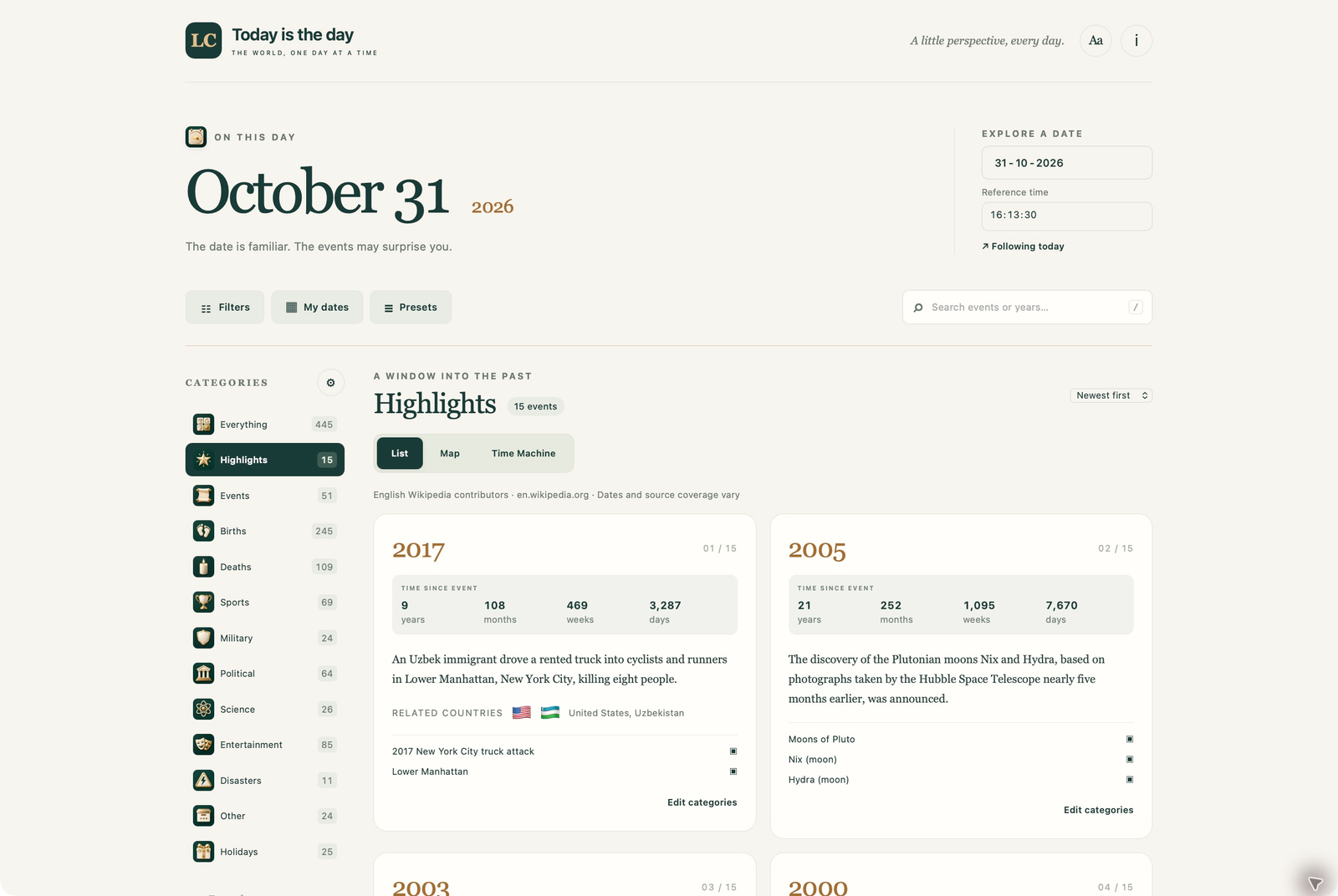
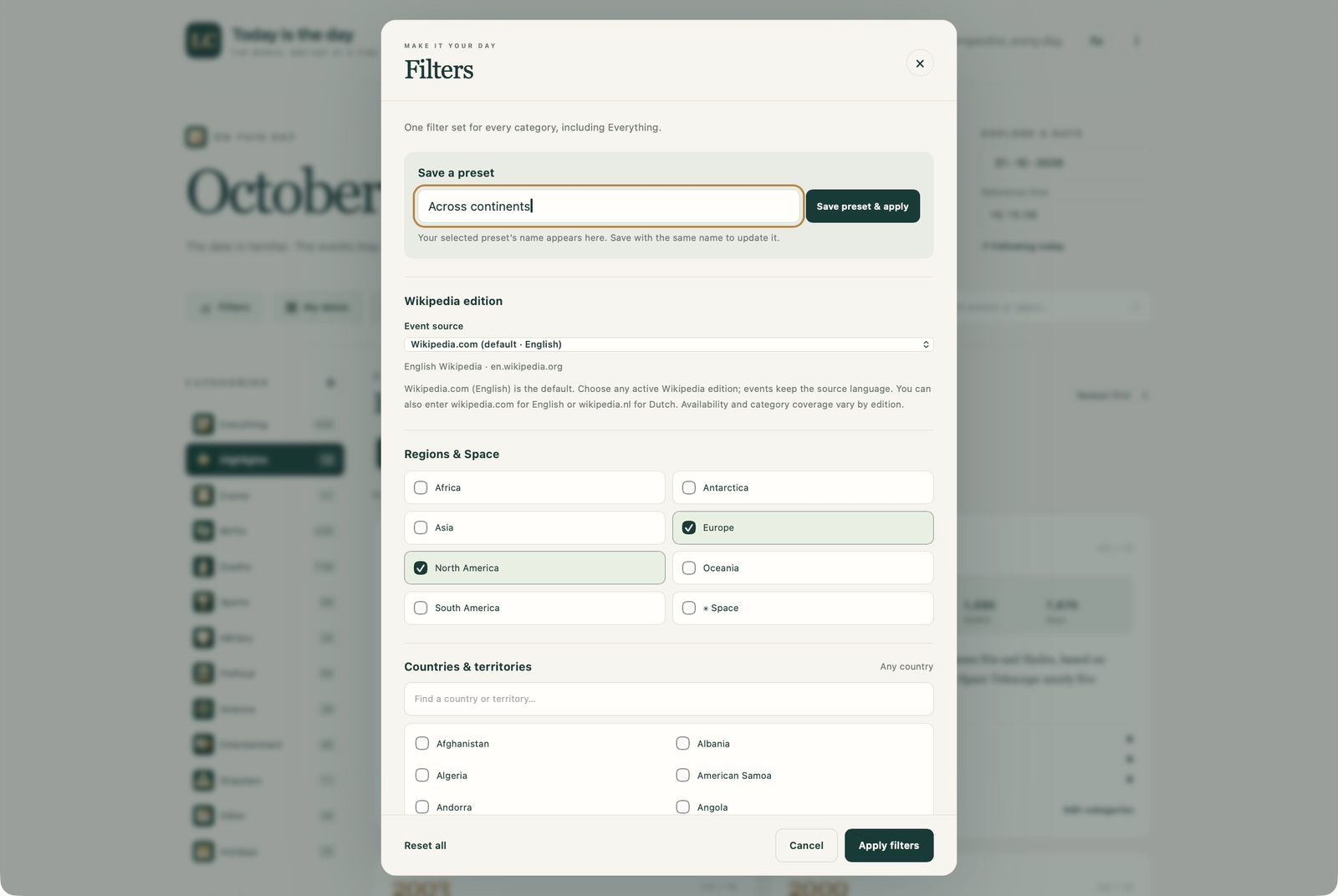
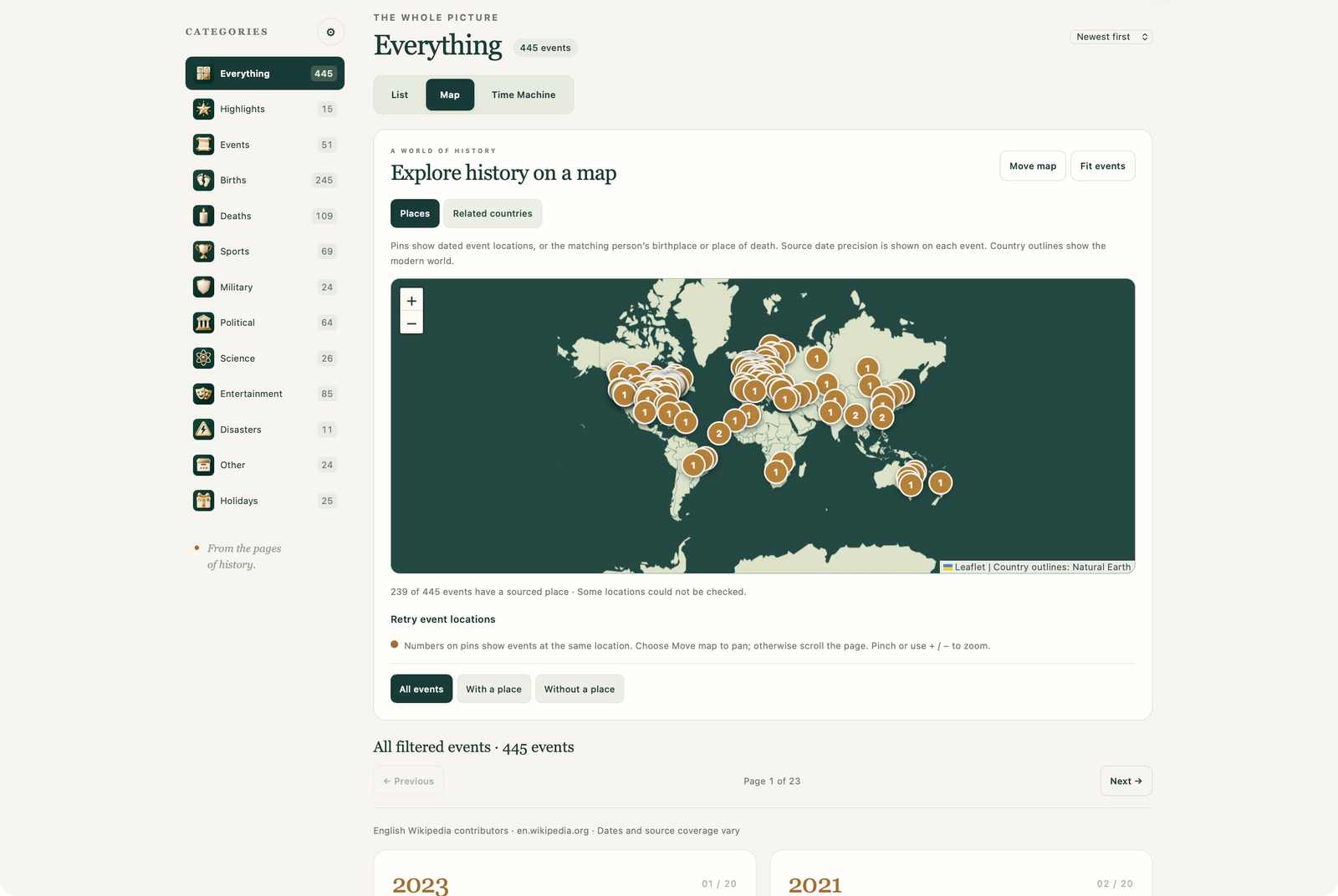
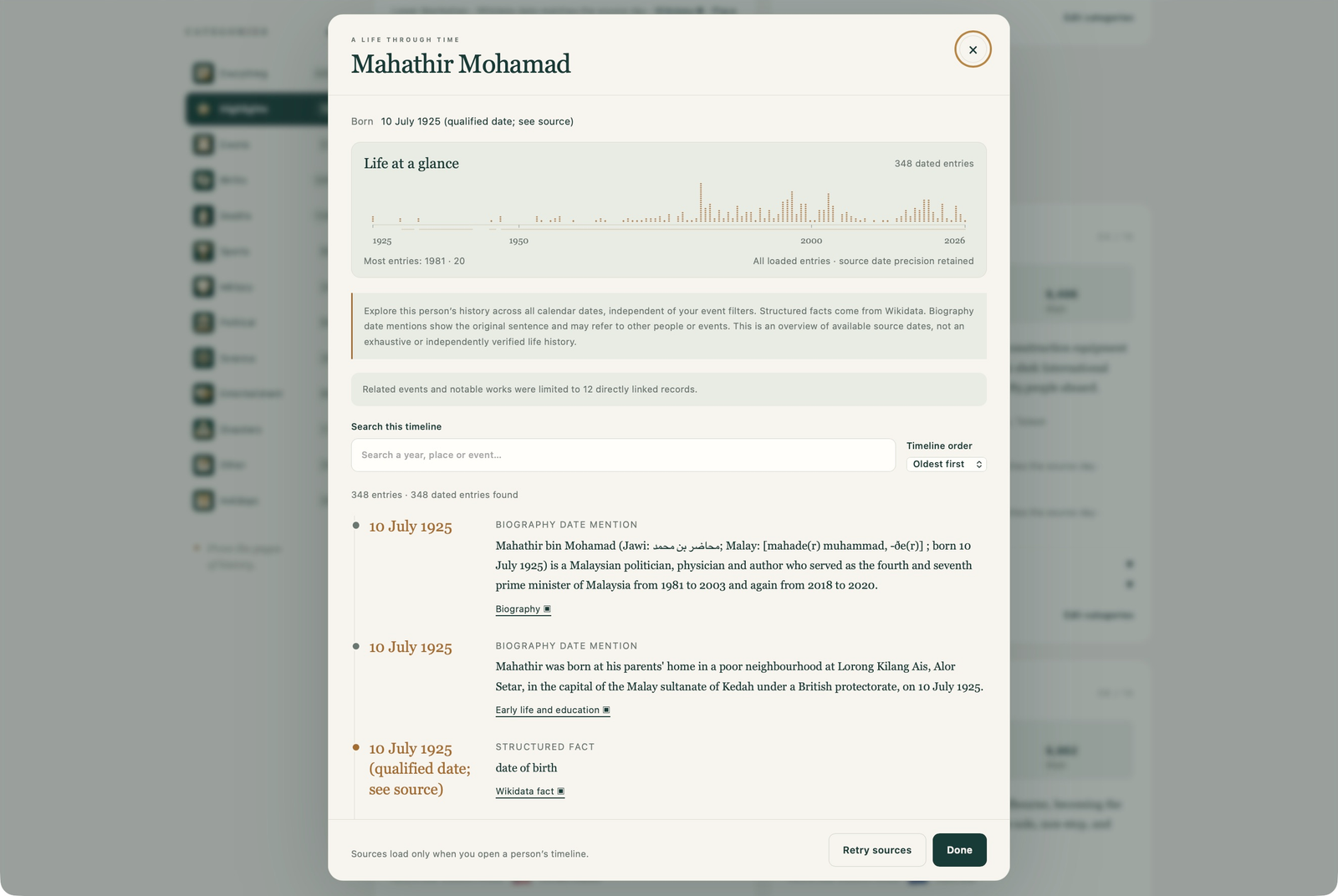
Browser captures: 31 October 2026. Historical images are switched off in these examples. Events, counts and details vary with the date, selected edition and source availability.
Historical text in these screenshots is excerpted and reformatted from Wikipedia contributors: October 31 and Mahathir Mohamad, under CC BY-SA 4.0. Related Wikidata facts are CC0. Map sources are credited below.
04 · From the sources
Historical text comes from your selected Wikipedia edition and its contributors, through calendar pages and Wikimedia’s On This Day feed where available. Text is excerpted and reformatted under CC BY-SA 4.0. Article links provide the source context and contributor history; see Wikipedia copyright information.
Structured people, dates and location facts use Wikidata’s CC0 data. Historical images use Wikimedia Commons with the individual creator, licence and file-page links shown in the image viewer. Country outlines use public-domain Natural Earth data; the map uses Leaflet. Availability and accuracy vary by source, date and language. The website does not edit these sources.
05 · Get in touch
For website problems, ideas, privacy questions or accessibility feedback, email Lodge Corporation at lodgecorporation01@gmail.com.
Include your browser and version, device, website version/build shown in Information or the footer, selected date, Wikipedia edition and the relevant event source URL. Screenshots can be attached in your email app. Please share only the details needed to explain the issue.